
Valorant Skin Changer for Supported Titles
Designed to preview weapon skins, outfits, and knife styles on your screen only, without adding items to your inventory.

Summary
Session-only finish set
Weapon coats, agent outfits, and knife models inside supported games without per-item store checkout.
4 more cosmetic rows appear in the full table below.
Overview
Deluxe cosmetics on your screen, not your inventory
Learn where finishes draw on screen, what never hits your inventory, and how to verify a title before checkout.
Skin Changer paints premium weapon coats, outfits, and knife models onto supported games so you can preview high-tier looks without separate cosmetic purchases.
Everything renders locally and never writes to account inventories. Monthly ($35, 31 days) and Lifetime ($150) plans share one finish library. Confirm your title with support before purchase.
Finish library scope
The lightweight client overlays premium weapon coats, agent outfits, and rare knife models on supported titles so you can preview deluxe looks without buying each cosmetic separately.
Display-only cosmetics
Finishes render on your monitor alone. Inventories never receive items, trades stay blocked, and visuals vanish when you exit the client. Treat what you see as private to your session.
Supported titles change with patches
Major games sit on the list today, yet updates can drop support overnight. Contact staff with your exact title before checkout.
Host requirements
Windows 10 or 11 (64-bit) with HVCI, Core Isolation, TPM, and Secure Boot enabled, plus loader access after purchase.
Tooling
Cosmetic groups
Preset categories appear once your cosmetic license is active.
- Deluxe weapon coat presets
- Agent outfit presets
- Rare knife model presets
- Broad major-title list
- Lightweight on-device client
- Monitor-only cosmetic rendering
- Monthly or lifetime licenses
- Windows 10 and 11
Delivery
Stills · Portal path
Visual notes on the left; portal access and menu setup on the right.
Product stills
- Layer A
Local finish picker
Weapon coats, agent outfits, and knife models rendered only on your monitor.
More products
Pairs well with
Sibling licenses from this shop, each with a dedicated page and partner checkout.
- Valorant Cheats From $35 Aimbot, ESP and wallhack readouts, radar hack, smoke/fog/spread/recoil removals, and enemy warnings for Valorant on Windows. $35 and $150 lifetime plans at checkout. View details
- HWID Spoofer From $50 Rotates disk serials, MAC addresses, GPU IDs, and related fingerprints after a hardware flag, with a bundled trace scrubber in one license. View details
- UGC From $35 Unban & Governance Control (UGC) stores appeal templates and runs scheduled dispute filings for limited gaming, social, and marketplace logins. View details
FAQ
Questions about this page
Answers tied to what you are reading. Visit the FAQ page for every topic.
Blog
Related guides
Notes: Learn about Valorant hacks with aim assistance, enemy visibility features, radar options, and configurations.
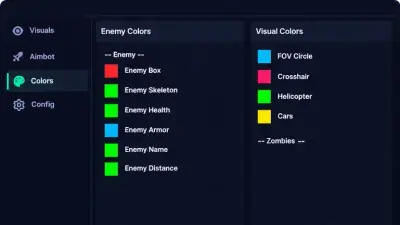
A direct look at Valorant skin changers, how they compare to buying skins and what to check before choosing one.
A straightforward look at the kinds of Valorant bans, how they differ and what players usually do next.
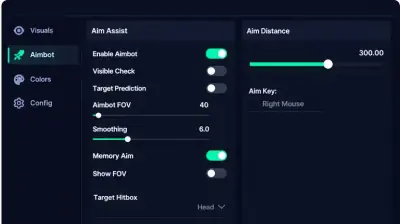
A practical checklist for anyone comparing Valorant hacks, covering features, updates, support and the risks you should understand first.
Read-only forum archive
Read discussion
Forum archive of read-only Valorant threads on loader setup, ESP configs, patch status, and HWID notes. Replies are closed.
- Cosmetics & Customization Can a Skin Changer Show Cosmetics Only on Your Own Screen? A cosmetic that appears locally may not be an official unlock or visible to other players. Verify game-specific compatibility and consider account and software risks before installing unofficial tools.
- Product Questions Monthly or Lifetime Software Access: What Terms Matter More Than the Price? Monthly and lifetime labels don't tell the whole story. Discuss what access periods mean, what happens when a product changes, and which terms to read before checkout.
- Product Questions What Should a Valorant Cheat Product Page Disclose Before You Pay? Before paying for third-party software, what details should a listing clearly disclose? Compare compatibility, update history, support, billing, and risk language.
- General Discussion Someone Called Wallhack After One Weird Round. How Do You Review It Fairly? One suspicious timing isn't proof of cheating. Talk through common gameplay explanations, useful context, and how to report concerns through official in-game channels.